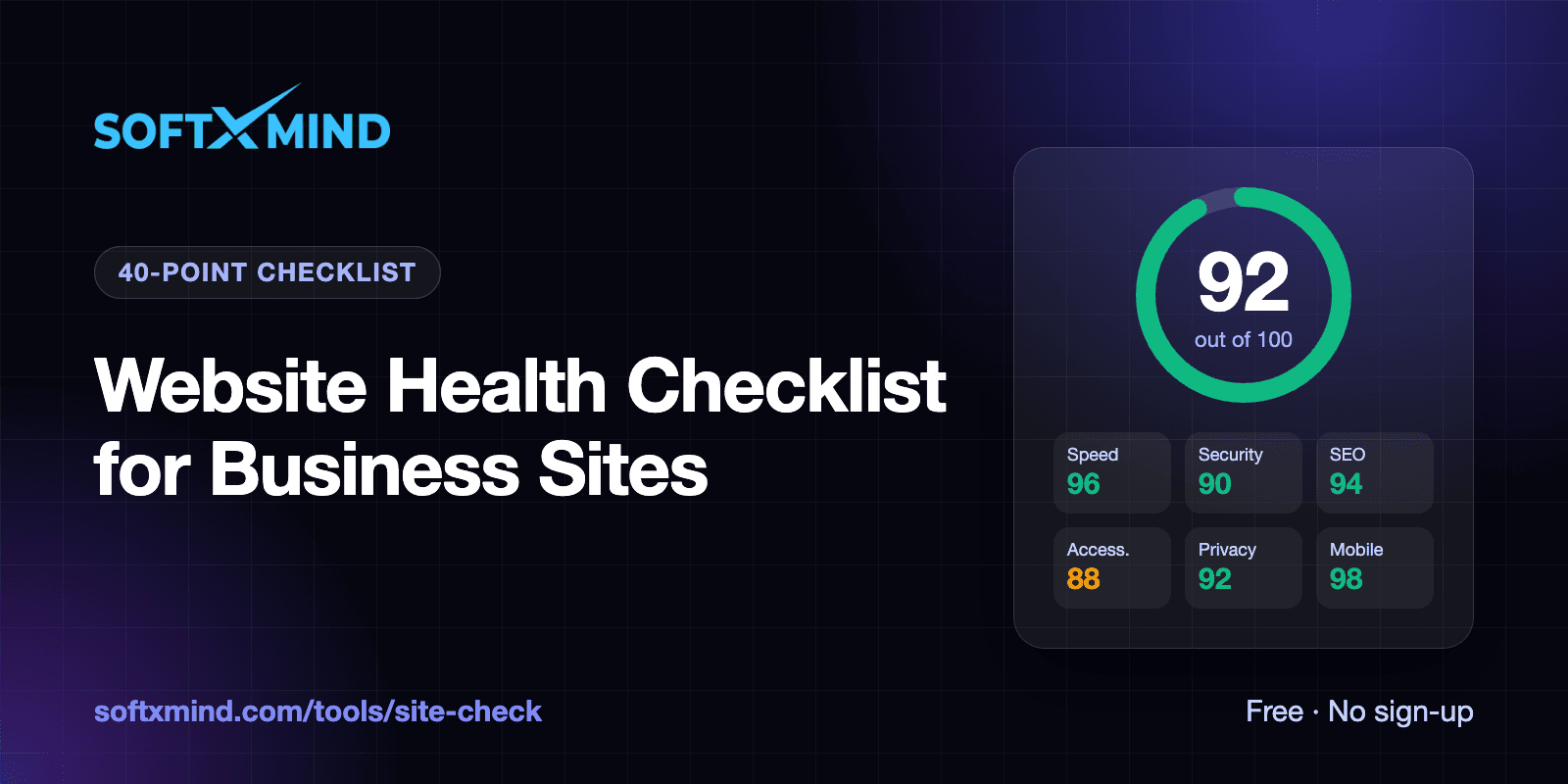
A healthy business website loads fast on a phone, is secure, can be found and understood by search engines, works for people with disabilities, handles visitor data lawfully, and adapts to every screen. This checklist breaks those six areas into 40 concrete checks, explains why each one matters, and shows what "good" looks like.
You can work through it by hand, or run all of it automatically in about 30 seconds with our free website health check tool, which tests every item below and tells you how to fix anything that fails.
Key takeaways
- Website health covers six areas: performance, security, SEO, accessibility, privacy and mobile. Problems in one usually hurt the others.
- The highest-impact checks are HTTPS, Core Web Vitals, indexability, a privacy policy, cookie consent and email spoofing protection.
- Many of the most common failures, such as missing security headers, a missing meta description or no DMARC record, take less than an hour to fix.
- Re-check monthly and after every redesign, plugin install or new tracking tag.
Performance checklist
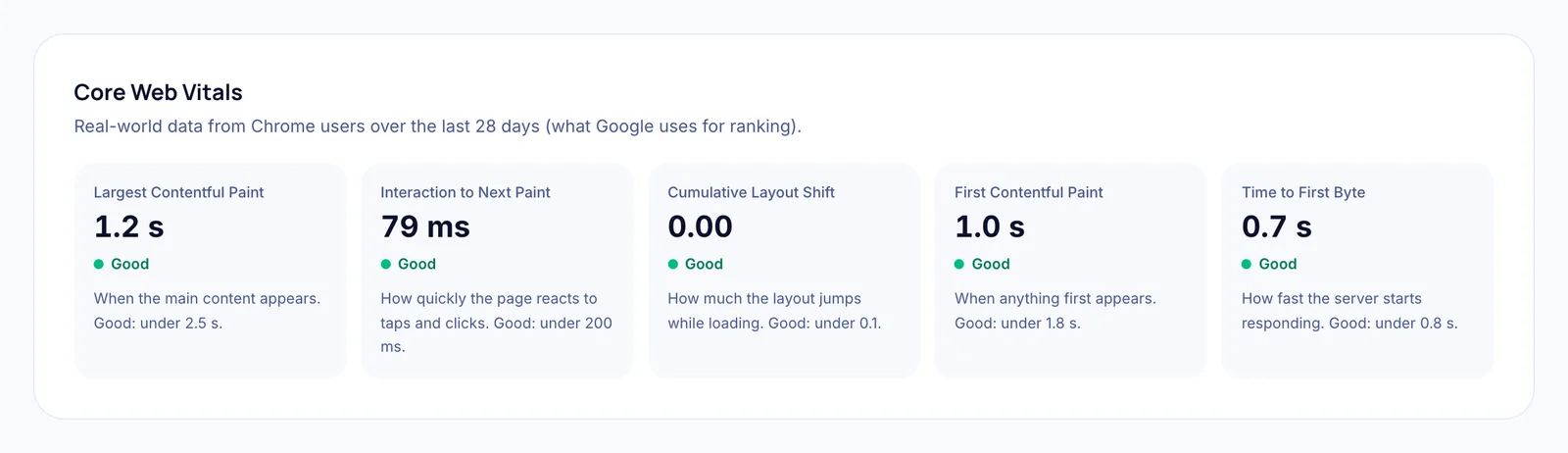
Speed affects rankings, conversions and bounce rates. Google uses Core Web Vitals as part of its page experience signals, and visitors leave slow pages before they see your offer.
| # | Check | What good looks like |
|---|---|---|
| 1 | Largest Contentful Paint (LCP) | Main content visible in under 2.5 seconds |
| 2 | Interaction to Next Paint (INP) / Total Blocking Time | INP under 200 ms; TBT under 200 ms in lab tests |
| 3 | Cumulative Layout Shift (CLS) | Under 0.1, so the layout doesn't jump while loading |
| 4 | Mobile speed score | 90+ in Google Lighthouse on a simulated mid-range phone |
| 5 | Server response time | First byte in under 0.8 seconds |
| 6 | Text compression | HTML, CSS and JavaScript served with Brotli or gzip |
| 7 | Page weight | HTML under ~300 KB; images resized and in modern formats |
| 8 | Redirect chains | No more than one redirect before the page loads |
Common fixes: compress and resize images, defer non-critical JavaScript, remove unused plugins and tags, use a CDN, and make sure the main content isn't waiting on a late-loading script or banner.
Security checklist
Browsers warn visitors about insecure sites, and attackers look for easy targets. These checks cover the basics every business site should have.
| # | Check | What good looks like |
|---|---|---|
| 9 | HTTPS | The site loads over HTTPS with no browser warnings |
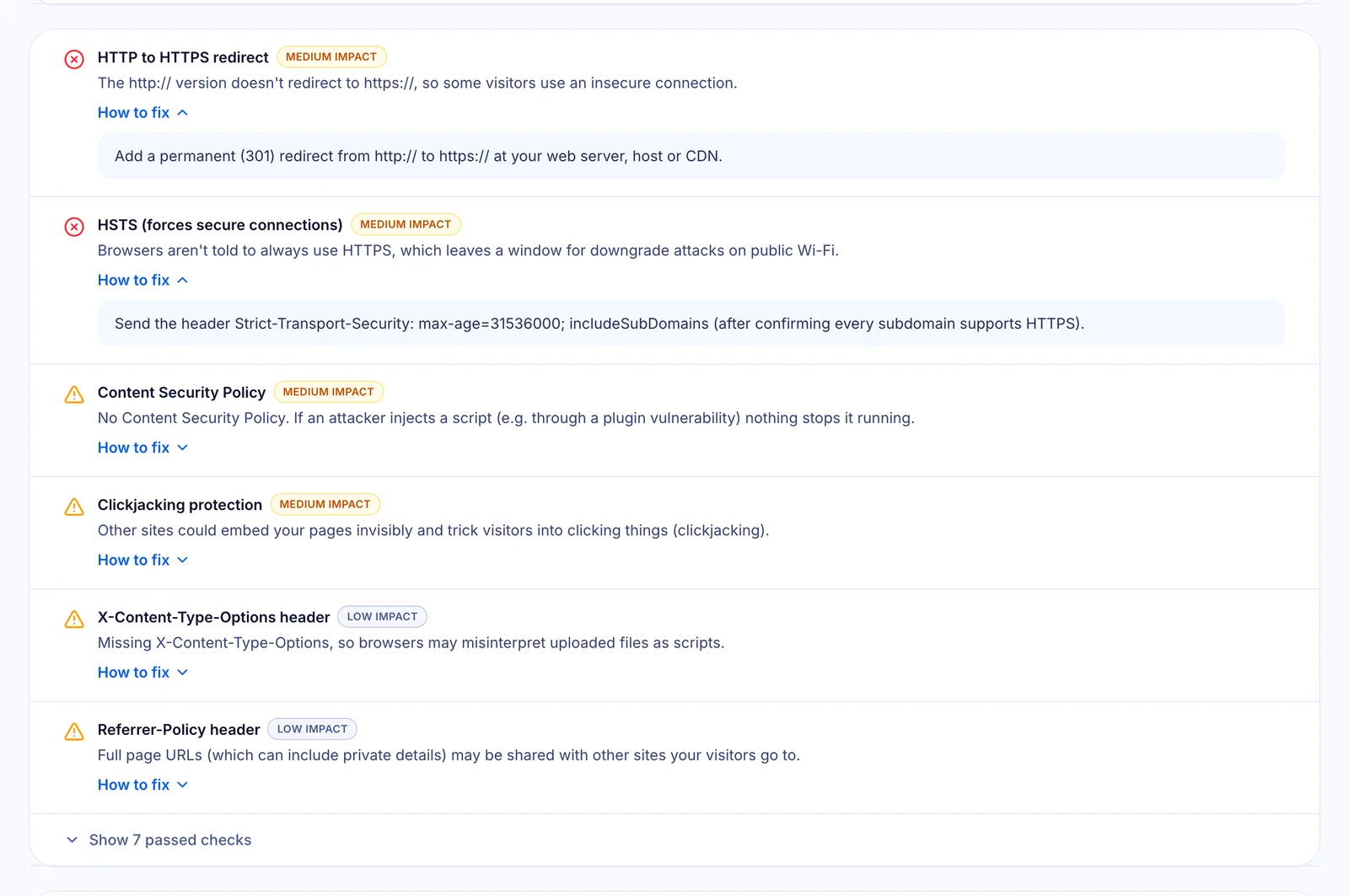
| 10 | HTTP to HTTPS redirect | http:// permanently redirects (301) to https:// |
| 11 | SSL certificate | Trusted, covers the hostname, and doesn't expire within 3 weeks |
| 12 | Modern encryption | TLS 1.2 or 1.3 only |
| 13 | HSTS | Strict-Transport-Security with max-age of at least 6 months |
| 14 | Content Security Policy | A CSP header that limits which scripts can run |
| 15 | Clickjacking protection | X-Frame-Options: SAMEORIGIN or CSP frame-ancestors |
| 16 | MIME sniffing protection | X-Content-Type-Options: nosniff |
| 17 | Referrer policy | strict-origin-when-cross-origin or stricter |
| 18 | Server version disclosure | No software versions in Server or X-Powered-By headers |
| 19 | Mixed content | Every image, script and stylesheet loads over HTTPS |
| 20 | Cookie security flags | Cookies set with Secure, HttpOnly and SameSite |
| 21 | SPF record | A single SPF record listing every service that sends your email |
| 22 | DMARC record | A DMARC policy of quarantine or reject |
Checks 21 and 22 are about email rather than the website itself, but they live on the same domain. Without them, anyone can send email that appears to come from your company. See our guide to checking SPF and DMARC.
SEO checklist
These are the technical foundations search engines need to find, understand and display your pages well. They don't replace good content, but without them good content struggles to rank.
| # | Check | What good looks like |
|---|---|---|
| 23 | Status code | The homepage returns HTTP 200 |
| 24 | Indexability | No noindex in the robots meta tag or X-Robots-Tag header |
| 25 | Title tag | Unique, 30–60 characters, describes what you offer |
| 26 | Meta description | 120–160 characters that give searchers a reason to click |
| 27 | One H1 heading | Exactly one H1 stating the page's main topic |
| 28 | Canonical URL | A canonical tag pointing to the preferred URL |
| 29 | robots.txt | Present, and not blocking the whole site |
| 30 | XML sitemap | Listed in robots.txt and submitted in Google Search Console |
| 31 | Structured data | JSON-LD for your organisation, website and key content |
| 32 | Social previews | Open Graph title, description and a 1200×630 image |
Two failures here are especially costly: an accidental noindex left over from a staging site, and a robots.txt that blocks everything. Both can remove a site from Google entirely.
Accessibility checklist
Accessible sites work for people using screen readers, keyboards or zoom, and they're increasingly a legal expectation in the US, EU and UK. They also tend to rank and convert better.
| # | Check | What good looks like |
|---|---|---|
| 33 | Page language | <html lang="en"> (or your language) is set |
| 34 | Image alt text | Meaningful images described; decorative images use alt="" |
| 35 | Form labels | Every input has a visible label or aria-label |
| 36 | Link and button names | Icon-only buttons and links have an accessible name |
| 37 | Colour contrast and tap targets | Text contrast at least 4.5:1; tap targets large and well spaced |
Privacy and compliance checklist
If you use analytics or advertising tags, privacy law applies to your website. GDPR and the UK and EU ePrivacy rules require opt-in consent before non-essential tracking, and California and other US states require clear disclosures and opt-outs.
| # | Check | What good looks like |
|---|---|---|
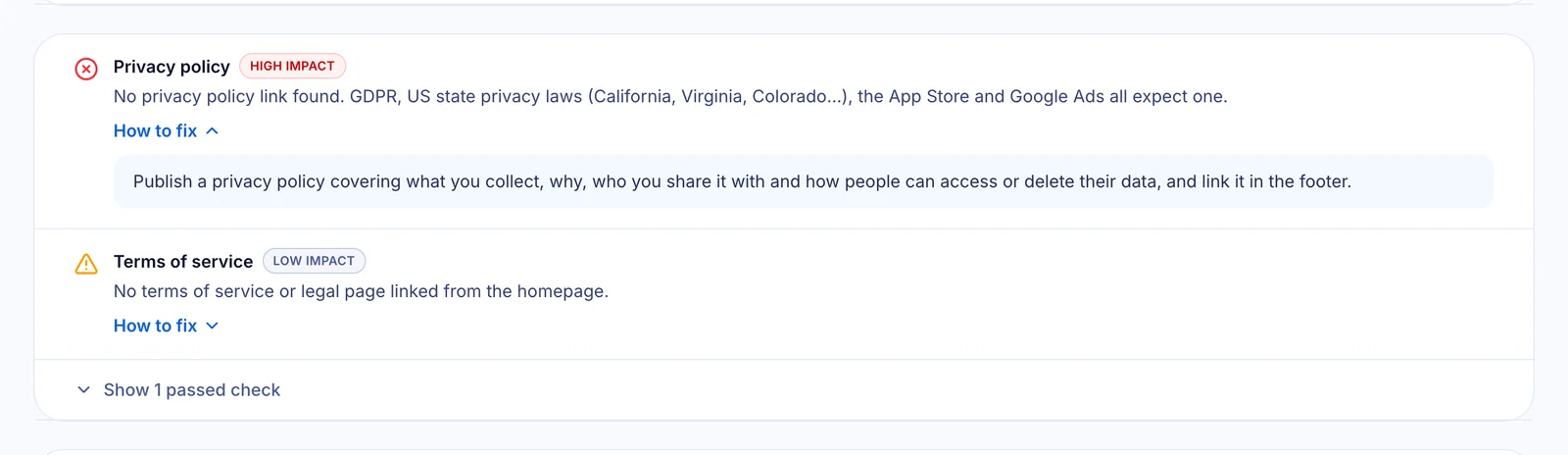
| 38 | Privacy policy | Linked from every page, usually in the footer |
| 39 | Consent before tracking | Analytics and ad tags wait for consent where required (e.g. with Google Consent Mode v2) |
| 40 | Opt-out and terms | Cookie settings link, terms of service, and a "Do Not Sell or Share" link if you use ad pixels |
For a deeper look at the rules and how to meet them, read how to check if your website is privacy compliant.
Mobile checklist
Most visitors arrive on a phone, and Google indexes the mobile version of your site. Alongside the mobile speed score (check 4), make sure:
- A responsive viewport tag is set (
width=device-width, initial-scale=1). - Pinch-to-zoom isn't disabled.
- Images offer smaller sizes for small screens (
srcset). - A home-screen icon (apple-touch-icon or web app manifest) is provided.
Know what your site is built with
The report also lists the technology your homepage appears to use, such as the CMS or framework, hosting and CDN, analytics and marketing tools. It's a quick way to spot forgotten tracking tags or plugins you no longer need.

How to use this checklist
- Run an automated check with the free website health checker to see which items fail. It takes about 30 seconds.
- Fix the high-impact items first: HTTPS, indexability, privacy policy, consent and Core Web Vitals.
- Batch the quick wins, such as security headers, meta description and DMARC, into a single developer task.
- Re-scan to confirm each fix, then schedule a monthly check.
Need a hand? Our engineers can work through every failed item for you. Get a free fix plan.
Frequently asked questions
What is included in a website health check?
A complete website health check covers performance (including Core Web Vitals), security, technical SEO, accessibility, privacy compliance and mobile readiness. Our checklist above lists 40 specific checks across those six areas.
How often should I audit my website?
At least monthly, and always after a redesign, CMS or plugin update, new tracking tag, or before a major campaign. Automated checks make this a 30-second job.
What is a good website health score?
90 or above (grade A) is excellent. 80–89 is good with some gaps. Below 70 usually means issues that are costing you traffic, trust or leads.
Which issues should I fix first?
Start with anything that blocks visitors or search engines, or creates legal risk: HTTPS problems, accidental noindex or robots.txt blocks, a missing privacy policy, tracking without consent, and poor Core Web Vitals.
Can I fix these issues without a developer?
Some, yes. Meta descriptions, alt text, a privacy policy and a cookie banner can often be handled in your CMS. Security headers, DNS records and performance work usually need a developer or your hosting provider.
Check all 40 items in one go: run a free website health check.