To check your website's health, enter your domain into a free website health check, wait about 30 seconds, and read the report. A good report scores your site for speed, security, SEO, accessibility, privacy and mobile readiness, ranks the problems by impact, and tells you how to fix each one in plain English. You don't need to install anything, create an account or know how to code.
This guide walks through the whole process using the free Softxmind Website Health Check, with real screenshots of every step, so you know exactly what you'll see and what to do next.
Key takeaways
- A website health check tests the things that quietly cost you visitors and leads: slow loading, security gaps, SEO mistakes, accessibility barriers and privacy compliance.
- The Softxmind checker runs 40+ checks plus Google's own Lighthouse speed test, and returns a score out of 100 with a letter grade.
- Every issue comes with a "How to fix" explanation, and the most important ones are listed first.
- Each report gets its own shareable link, so you can send it to your developer, agency or boss.
- It's free, with no sign-up and no email required.
What is a website health check?
A website health check is an automated audit of your site's technical condition. Think of it as a check-up: it doesn't redesign anything, but it shows you what's working, what's broken, and what's putting visitors, rankings or compliance at risk.
Most free tools test one thing, usually speed. A full health check looks at six areas together, because they affect each other. A slow site hurts SEO. A missing cookie banner creates legal risk. A missing email security record lets scammers send invoices that look like they came from you. You want to see all of it in one place.
Step 1: Open the tool and enter your website
Go to softxmind.com/tools/site-check and type your website address into the box. You can type it any way you like (yourcompany.com, www.yourcompany.com or a full URL copied from your browser) and the tool will tidy it up.
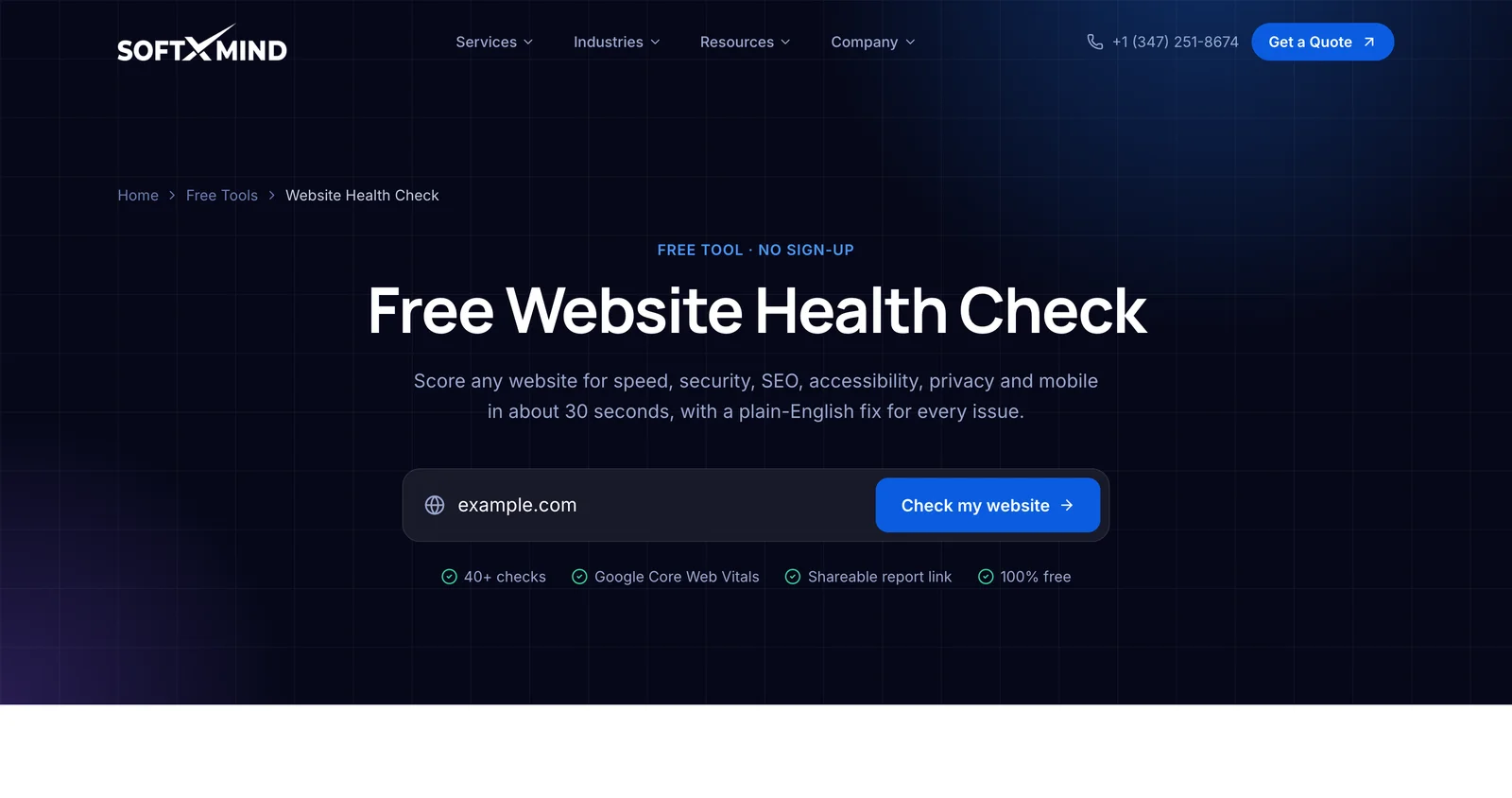
You can check any public website: your own, a client's or a competitor's. The scan only reads publicly available information, the same as any visitor or search engine would.
Step 2: Wait about 30 seconds while it runs
Press Check my website. The tool connects to the site and works through each area while a progress screen shows what it's checking.
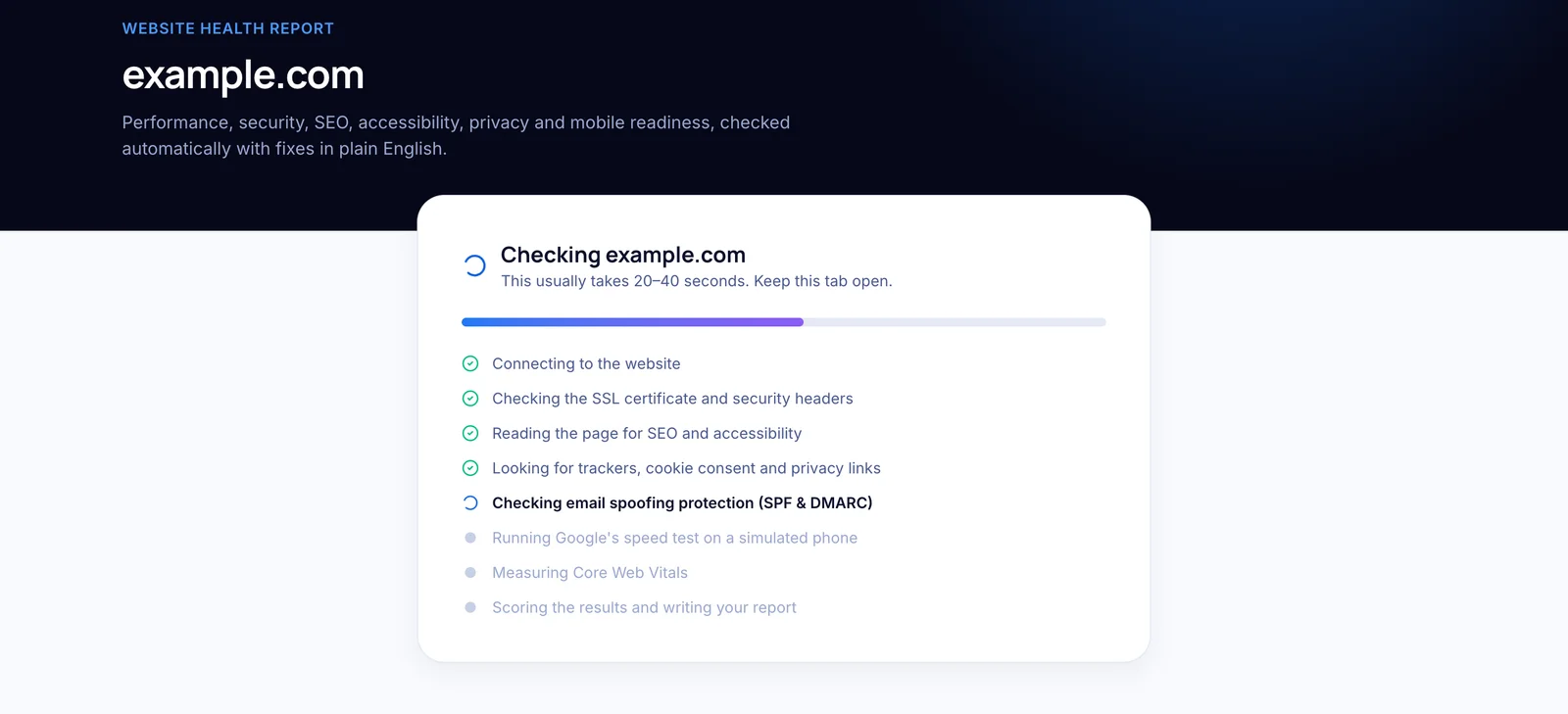
Behind the scenes it:
- Connects securely and inspects your SSL certificate and encryption.
- Reads the homepage HTML for SEO, accessibility and privacy signals.
- Checks your security headers and whether
http://redirects tohttps://. - Looks up your domain's email security records (SPF and DMARC).
- Fetches
robots.txtand your XML sitemap. - Runs Google Lighthouse on a simulated mid-range phone to measure Core Web Vitals.
Keep the tab open. If you leave, you can always come back to the report link later.
Step 3: Read your overall score and category scores
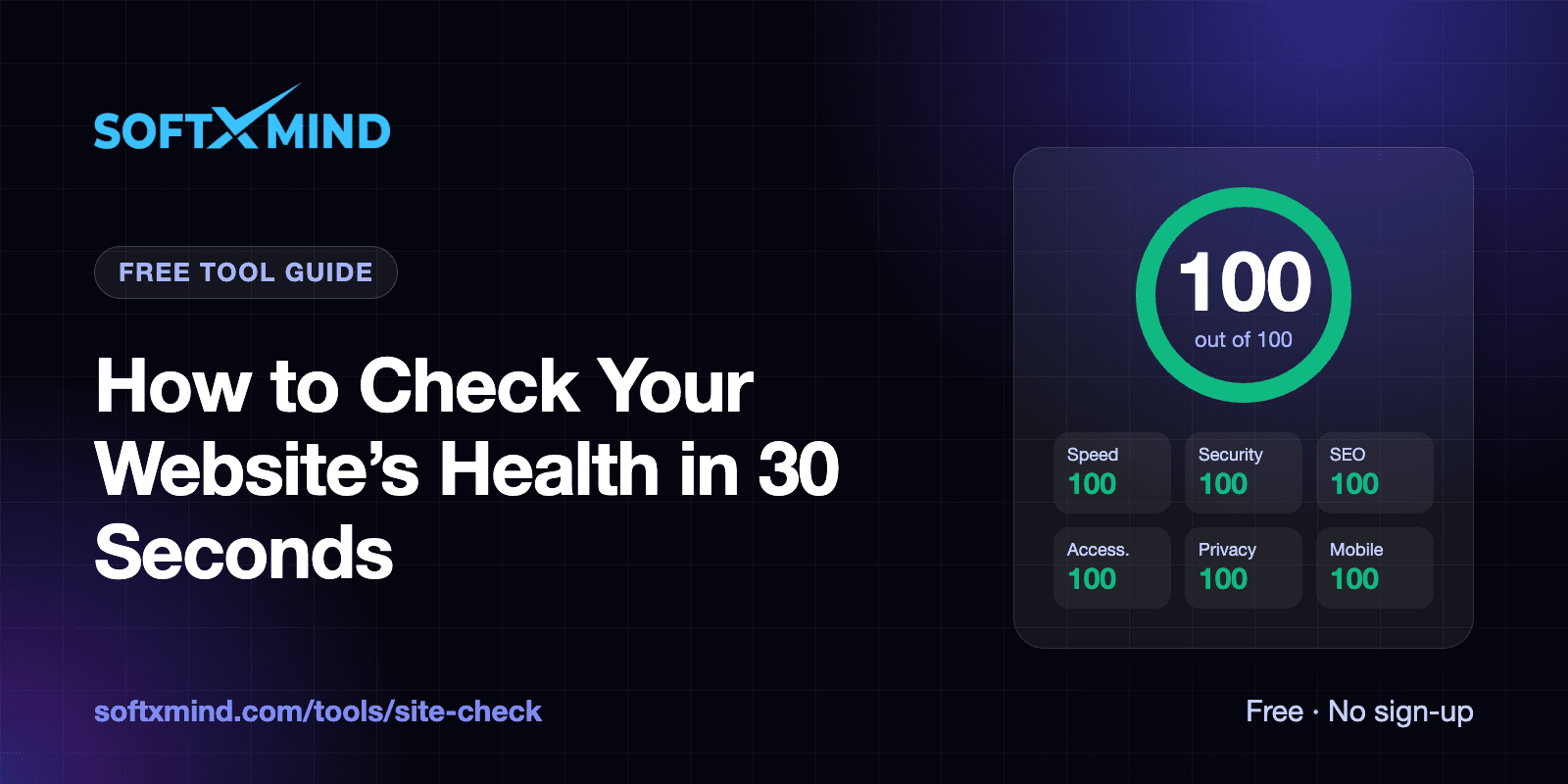
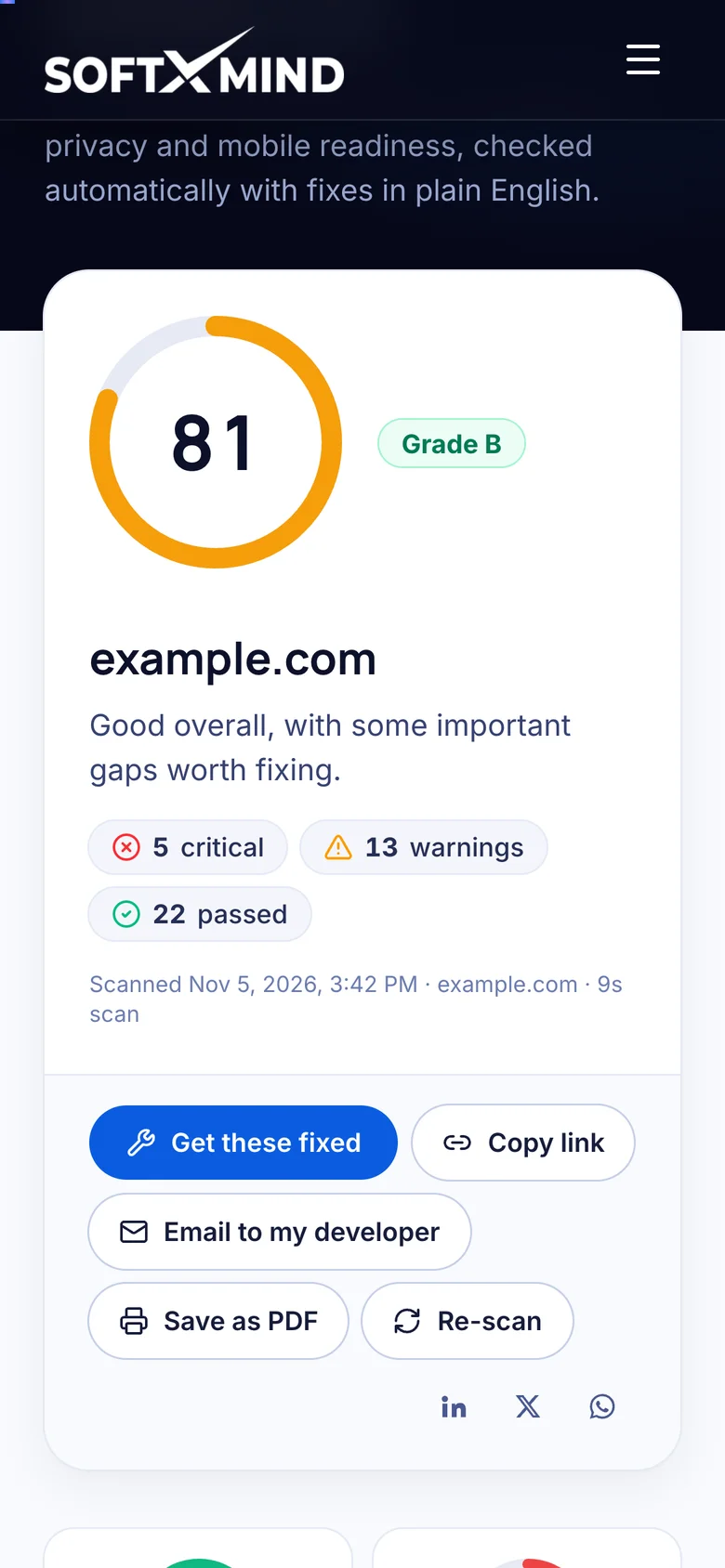
When the scan finishes you'll see an overall score out of 100, a letter grade, and a count of critical issues, warnings and passed checks. Below that are six category scores.
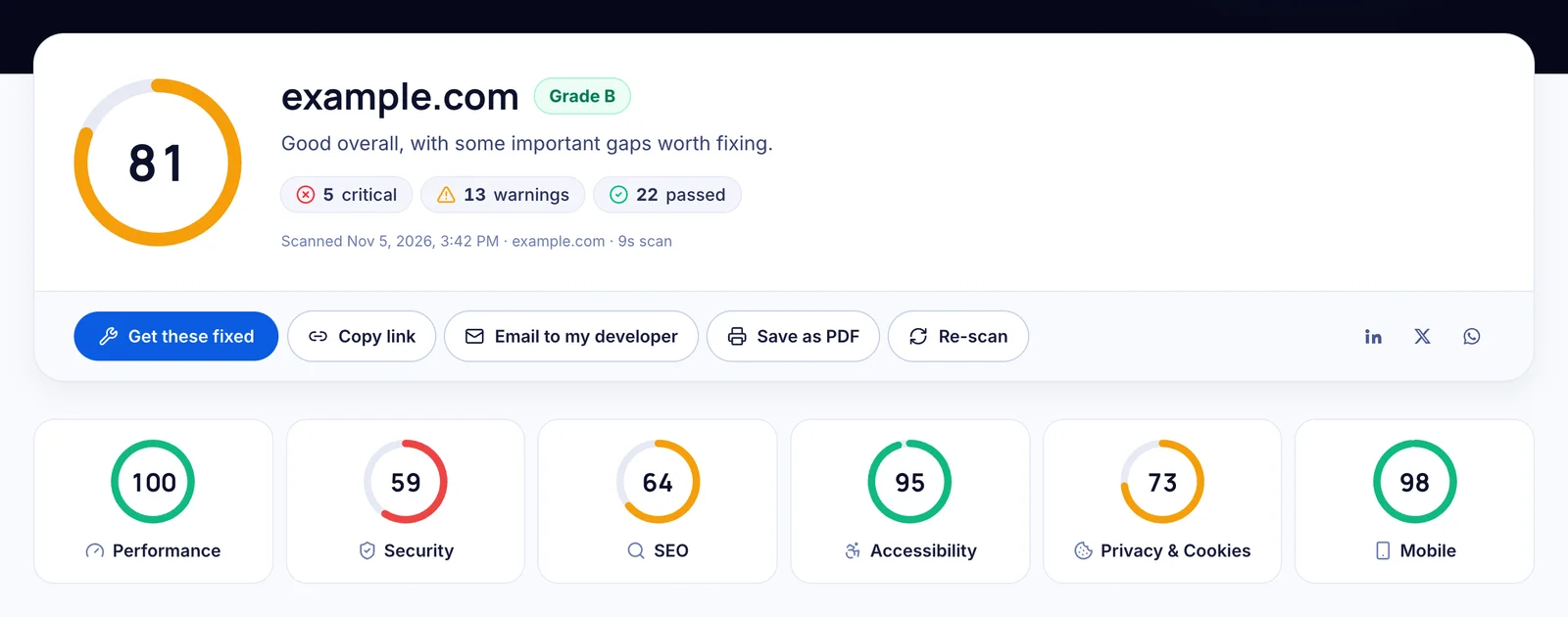
Here's how to interpret the grade:
| Score | Grade | What it means |
|---|---|---|
| 90–100 | A | Excellent. Only minor refinements left. |
| 80–89 | B | Good, with some important gaps worth fixing. |
| 70–79 | C | Fair. Issues are likely costing traffic, trust or leads. |
| 55–69 | D | Needs work. Visitors and search engines are being held back. |
| Below 55 | F | Poor. Serious problems with security, visibility or usability. |
Click any category card to jump straight to its detailed results. For a deeper explanation of how each score is calculated, see our guide on how to read a website health report.
Step 4: Start with "Fix these first"
Don't try to fix everything at once. The Fix these first list shows the five highest-impact problems in priority order, each with what we found and exactly how to fix it.
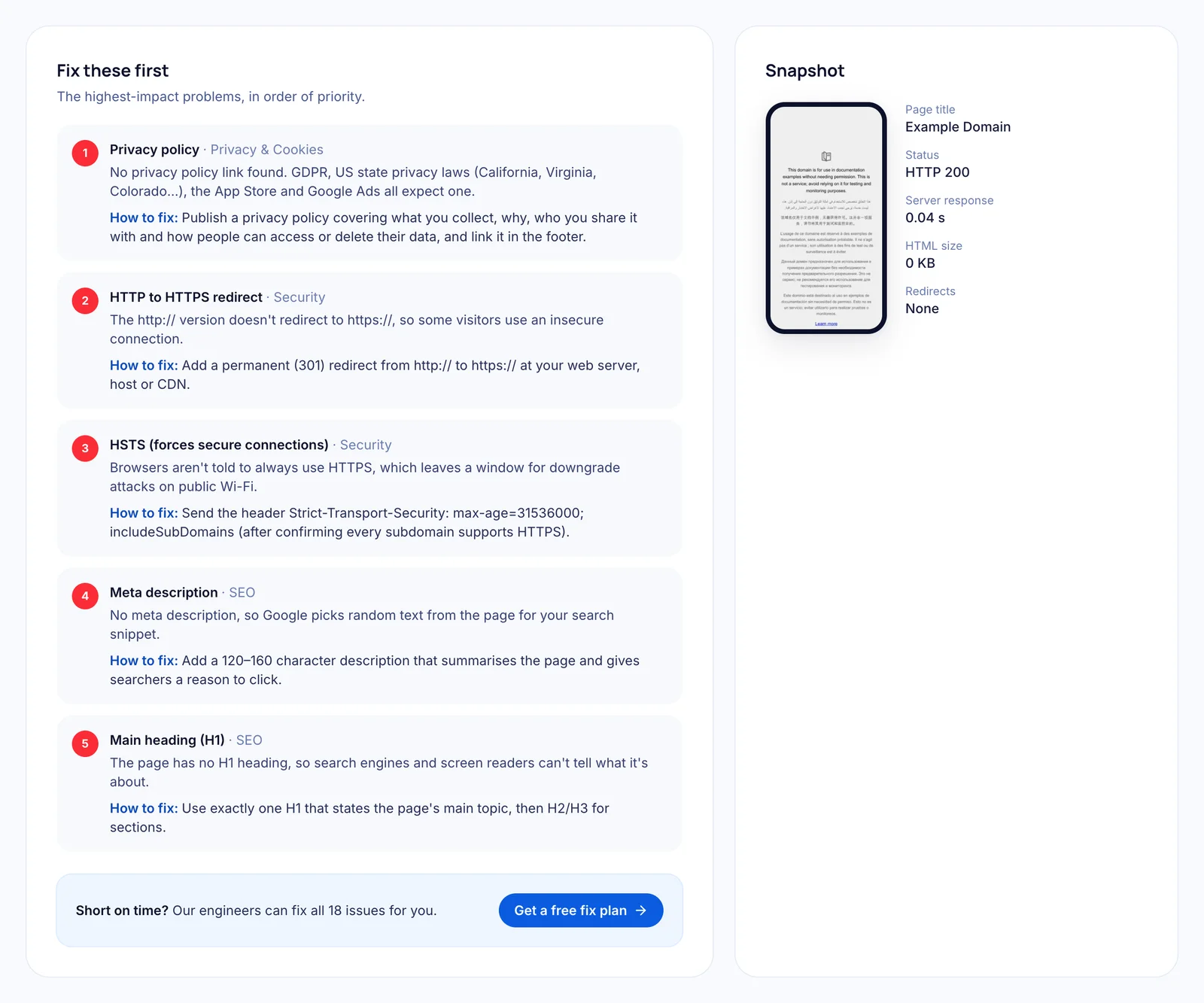
In the example above, example.com's top issues are a missing privacy policy, no HTTP-to-HTTPS redirect, no HSTS header, no meta description and no main heading. Each is a quick win, often under an hour of developer time.
Step 5: Review the detailed checks
Scroll down for every check, grouped by category. Failed and warning items appear first; passed checks are tucked away behind a "Show passed checks" link so the report stays focused. Click How to fix on any item for step-by-step guidance.
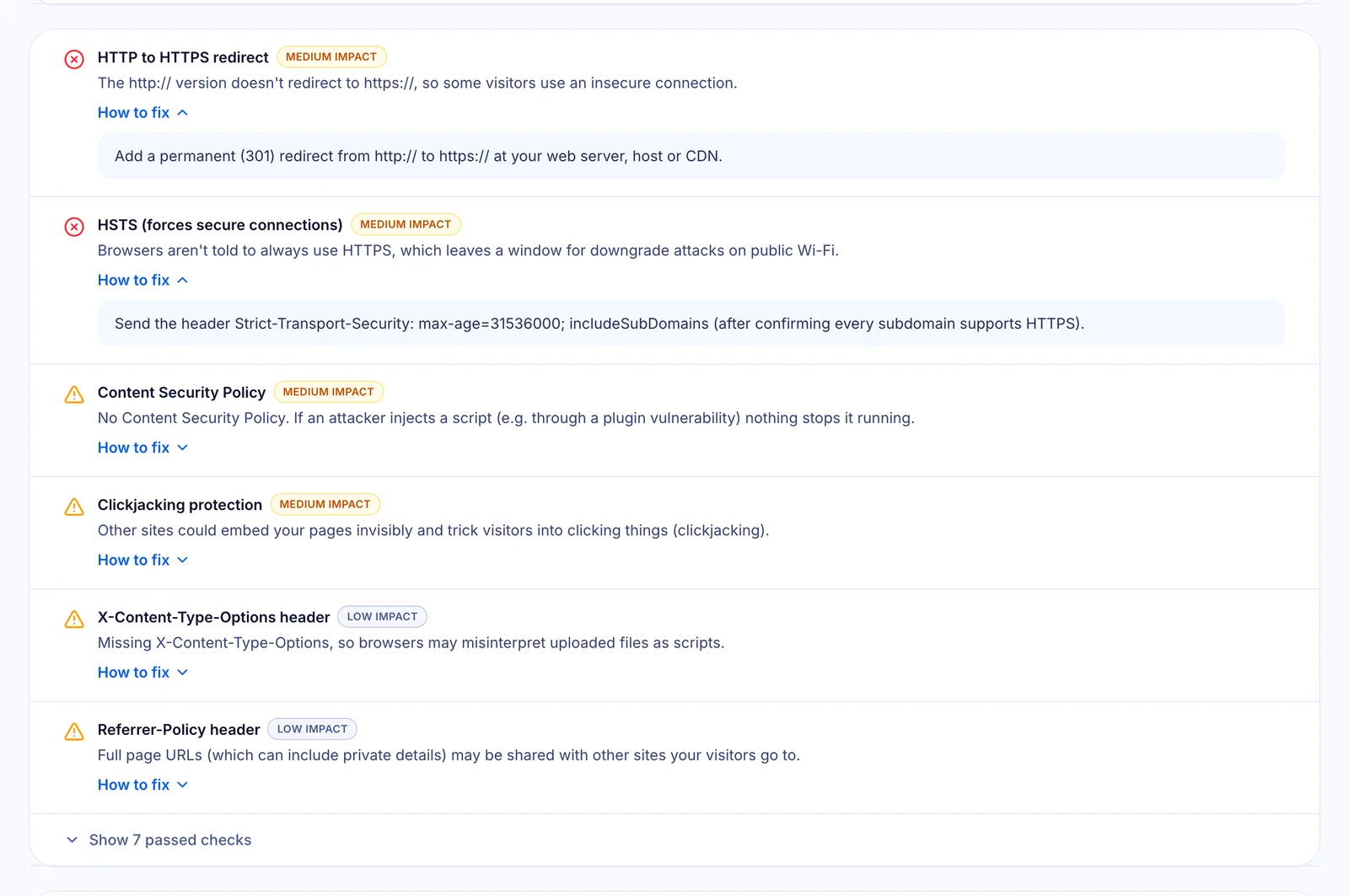
Each item is labelled high, medium or low impact, so you (or your developer) can plan the work. The full list of what's tested is in our website health checklist.
Step 6: Check Core Web Vitals
The Core Web Vitals panel shows the speed metrics Google uses in its rankings: how fast the main content appears (LCP), how quickly the page responds (INP, or Total Blocking Time in a lab test) and how much the layout jumps (CLS).
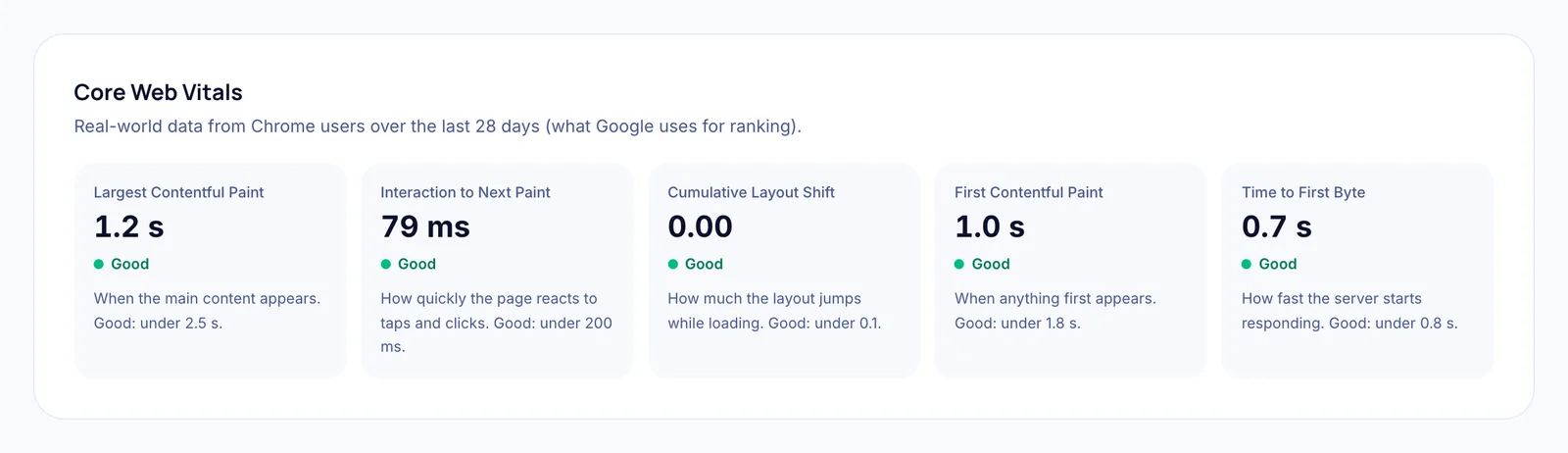
When enough real Chrome users visit your site, the tool shows real-world data from the last 28 days. Otherwise it shows a lab measurement from a simulated mid-range phone on a 4G connection.
Step 7: Share the report or get help
Every report has its own link, like softxmind.com/tools/site-check/yourcompany.com. Use the toolbar to copy the link, email it to your developer, share it on LinkedIn, X or WhatsApp, or save it as a PDF.

After you make changes, press Re-scan to confirm they worked. If you'd rather not do the work yourself, Get these fixed sends the issue list to our engineers, who'll reply within 24 hours with a fixed-price plan.
Does it work on a phone?
Yes. The tool and every report are fully responsive, so you can run a check, read the results and share the link from your phone.
How often should you check your website's health?
- After every launch or redesign, before you announce it.
- After installing plugins, tracking tags or a new theme, which often slow pages down or add trackers without consent.
- Monthly as routine maintenance, because certificates expire, settings drift and new content adds weight.
- Before a marketing campaign, so the traffic you pay for lands on a fast, trustworthy page.
What makes this checker different
- Six areas in one report. Most free tools only measure speed. This one adds security, SEO, accessibility, privacy and mobile.
- Checks that others skip. Email spoofing protection (SPF and DMARC), cookie consent before tracking, and US "Do Not Sell" requirements.
- Plain-English fixes. Written for business owners and marketers as well as developers.
- Google's data built in. Speed comes from Google PageSpeed Insights, including real-user Core Web Vitals when available.
- Free and private. No sign-up, no email, and reports aren't listed in search engines.
We use it on our own site too. Read how we took softxmind.com from 81 to 100.
Frequently asked questions
Is the website health check really free?
Yes. There's no sign-up, no email and no credit card. You can run checks whenever you need them; there's only a fair-use limit to stop automated abuse.
How long does a website health check take?
Usually 20 to 40 seconds. Most checks finish in a few seconds; Google's mobile speed test takes the longest.
Does it check every page on my website?
It checks your homepage in depth, plus site-wide signals such as your SSL certificate, security headers, robots.txt, sitemap and email records. For a full multi-page audit, contact our team.
Can I check a competitor's website?
Yes. Any public website can be checked. The scan only reads public information, the same as a normal visitor or search engine.
Why does my speed score change between scans?
Lab speed tests vary by a few points from run to run because network and server conditions change. Focus on the specific issues and the trend over time rather than one number.
Will running a check affect my website?
No. The scan makes a handful of normal page requests, about the same as a single visitor, so it won't slow your site down or change anything on it.
Ready to see how your site scores? Run your free website health check now. It takes about 30 seconds.